

Featured Snippet Answer: TaskAGI’s new Postiz integration lets you build AI-powered workflows that automatically post to multiple social media platforms simultaneously. Connect Postiz to your TaskAGI agent, and trigger posts from any workflow event—when content is published, when a customer action occurs, or on a schedule. No more manual cross-posting.
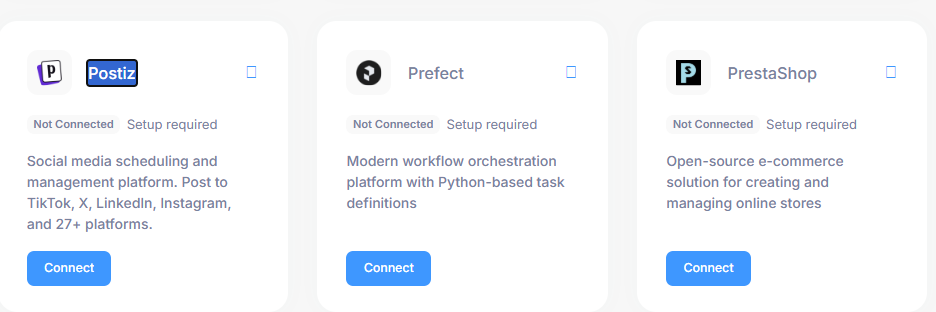
TaskAGI Now Automates Social Media Posting Across All Your Platforms
Building workflows that post to social media used to mean picking a single platform or manually repeating the same post across Twitter, LinkedIn, Instagram, and Facebook. That friction is gone. TaskAGI now integrates with Postiz, the social media management platform, letting you automate posting to multiple channels from a single workflow node.
This means your AI agents can now handle social media distribution as part of larger automation workflows. Post when a trigger fires. Post when content goes live. Post when a customer milestone happens. No manual work required.
What You Can Actually Do Now
Before this integration, connecting social posting to your TaskAGI workflows required workarounds—either using generic webhooks, building custom scripts, or managing posts manually. The Postiz integration removes that friction entirely.
Trigger-Based Social Posting
Connect any workflow event to automatic social posting. Your AI agent can now:
- Post to Twitter, LinkedIn, Instagram, Facebook, and TikTok simultaneously
- Trigger posts when a blog article publishes
- Send social updates when a form submission arrives
- Post announcements when a customer completes a purchase
- Schedule posts based on workflow logic or AI decisions
- Include dynamic content in posts (generated text, customer data, timestamps)
Instead of having a separate social media tool that doesn’t talk to your other automations, posting now becomes a native action within your workflow. Add a Postiz node, configure your platforms and message content, and it posts the moment your workflow triggers it.
Multi-Platform Distribution Without Duplication
Postiz handles the complexity of posting to different platforms with different content requirements. You configure which platforms to post to, and Postiz adapts your message for each one. Your TaskAGI workflow doesn’t need to know the differences between Twitter’s character limits or Instagram’s formatting—Postiz handles that layer.
This is particularly valuable if you’re managing content across platforms with different audiences. Your workflow sends one message to Postiz, and it distributes intelligently across your chosen channels.
Connect Social Posting to Your Entire Automation Stack
The real power emerges when social posting becomes part of larger workflows. Examples:
- Content Publishing Automation: When a blog post is published to your website, automatically post it to social media with a custom message generated by your AI agent
- Lead Notification Workflows: When a high-value lead signs up, post an internal celebration to your team Slack AND post a customer success story to your social channels
- Ecommerce Triggers: When a product sells out, post the update to social. When stock returns, announce it automatically
- Customer Milestone Celebrations: When a customer reaches a milestone (100 days using your product, anniversary, etc.), post a celebration to social media
- Event-Driven Announcements: When an alert triggers (server down, campaign goal hit, customer churn risk), post relevant updates to your social channels
These workflows would normally require multiple tools talking to each other. Now they live in one place: your TaskAGI agent.
How to Set Up Social Media Posting in TaskAGI
The Postiz integration works like any other TaskAGI node—drag it into your workflow and configure it.
Basic Setup Steps
- Create or open a TaskAGI workflow
- Add a Postiz node to your workflow (search “Postiz” in the node library)
- Connect your Postiz account via OAuth authentication
- Select which social media platforms to post to (Twitter, LinkedIn, Instagram, Facebook, TikTok, etc.)
- Write your post content or map dynamic data from earlier workflow steps
- Choose whether to post immediately or schedule it
- Connect the Postiz node to your trigger (webhook, schedule, form submission, etc.)
- Test and activate
The integration supports dynamic content, so your posts can include data from previous workflow steps. If an earlier node extracts product information, generates a description, or pulls customer data, you can include that in your social post automatically.
Real Workflows This Enables
Automated Blog Promotion
Connect your blog’s RSS feed or webhook to a TaskAGI workflow. When a new article publishes, your agent reads the content, generates a compelling social media post, and distributes it across all your platforms. No manual copy-pasting. No waiting to remember to post it.
Customer Success Stories
When a customer completes a milestone or case study, trigger a workflow that posts the story to social media. Your AI agent can generate the post copy from customer data, making each post feel personalized rather than templated.
Sales and Product Updates
When your product team ships a new feature or launches a campaign, post about it automatically across social channels. The workflow can pull from your internal tools (Notion, Airtable, your product database) and format the announcement for social media.
Real-Time Alerts and Updates
If you monitor metrics, customer behavior, or market data, your TaskAGI agent can post updates automatically when thresholds are crossed. Inventory running low? Post it. Campaign goal hit? Announce it. Breaking news in your industry? Share it.
Why This Matters for Your Workflow Automation
Reduces Manual Social Media Work
Social media management is often the bottleneck in content distribution. Teams publish content but forget to post it to all platforms, or they post inconsistently. Automation removes that friction. Your workflows post reliably, consistently, and without human intervention.
Keeps Your Audience Updated Without Extra Effort
Multi-platform posting means your message reaches people where they are—Twitter for tech discussions, LinkedIn for professional updates, Instagram for visual stories. Your workflow handles all of it simultaneously.
Integrates Social Posting Into Larger Automations
Instead of social media being a separate tool, it becomes a native part of your automation stack. Post notifications can trigger other workflows. Social posting can be one step in a multi-step automation. Your entire system works together.
Scales Your Content Without Scaling Your Team
As your business grows, manual social posting becomes unsustainable. Automated workflows scale without adding headcount. Post to 10 platforms or 100—your workflow handles it the same way.
Postiz vs. Building Social Posting Manually
| Capability | Manual Posting | Postiz Integration | Generic Webhooks |
|---|---|---|---|
| Multi-platform posting | Requires repeating post on each platform | One action, all platforms | Possible but requires custom code |
| Trigger-based automation | No automation | Posts when workflow triggers | Possible but complex setup |
| Dynamic content | Manual copy-paste | Automatic from workflow data | Possible but requires custom mapping |
| Platform-specific formatting | Manual adjustment per platform | Postiz handles automatically | Manual configuration needed |
| Setup time | Minutes per post | One-time setup, seconds per post | Hours of development |
Fits Into Your Broader TaskAGI Workflows
The Postiz integration works alongside TaskAGI’s existing capabilities. Combine it with other nodes to build sophisticated automations:
- With AI Models: Generate post copy using Claude, GPT-4, or other AI models, then post it automatically
- With Webhooks: Trigger posts from external events (form submissions, CRM updates, payment confirmations)
- With Data Connectors: Pull content from your blog, CRM, product database, or any API, then post it
- With Conditional Logic: Post different messages based on workflow conditions or AI decisions
- With Scheduling: Post at specific times or intervals as part of larger workflows
- With Other Integrations: Combine Postiz posting with Slack notifications, email, CRM updates, and more
This is the advantage of a platform like TaskAGI over single-purpose tools. Social posting isn’t isolated—it’s part of your entire automation ecosystem.
Who Benefits Most
Content Teams and Creators
Automatically post new content across all platforms without manual distribution work.
Marketing Teams
Trigger campaign announcements, product launches, and promotional posts automatically based on business events.
SaaS and Ecommerce Businesses
Post customer updates, product announcements, and milestone celebrations automatically.
Community Managers
Automate routine announcements and updates while keeping more time for genuine community engagement.
Agencies and Freelancers
Offer automated social media posting as part of your service delivery without manual effort.
Getting Started
If you’re already using TaskAGI, the Postiz integration is available now in your node library. If you’re new to TaskAGI, you can build your first social media automation workflow in minutes—no coding required.
Start simple: connect a trigger (a schedule, a webhook, a form submission), add the Postiz node, configure your platforms and message, and activate. Your first automated post will be live within minutes.
Common Questions
Does the Postiz integration work with all social platforms?
Postiz supports Twitter, LinkedIn, Instagram, Facebook, TikTok, and others. Check your Postiz account settings to see which platforms you have connected. TaskAGI will let you post to any platform Postiz supports.
Can I schedule posts for later instead of posting immediately?
Yes. The Postiz integration supports both immediate posting and scheduling posts for specific dates and times. Useful for planning posts in advance while keeping them automated.
Can I include dynamic content in my posts?
Absolutely. Map data from earlier workflow steps (AI-generated text, customer data, timestamps, URLs) into your post content. Each post can be unique based on the data flowing through your workflow.
Do I need a Postiz account to use this integration?
Yes. You’ll connect your existing Postiz account to TaskAGI via OAuth. If you don’t have a Postiz account yet, you can create one and connect your social media platforms there first.
Can I post to multiple accounts on the same platform?
This depends on your Postiz setup. Postiz allows managing multiple accounts, and TaskAGI will respect those settings. Configure your platforms and accounts in Postiz, and TaskAGI will see them when you set up the integration.
What’s Next
Social media posting is now part of your automation toolkit. Build workflows that post when your content publishes, when customers engage, when milestones hit, or when you decide. Your team spends less time on repetitive posting and more time on strategy and genuine engagement.
If you’re managing multiple social platforms today, this integration saves you hours every week. Start with one automated workflow and expand from there.
—
## SEO METADATA SUGGESTIONS
**Meta Title (60 chars):** Automate Social Media Posting with Postiz Integration in TaskAGI
**Meta Description (160 chars):** Build AI workflows that automatically post to Twitter, LinkedIn, Instagram, Facebook, and TikTok simultaneously. TaskAGI’s Postiz integration eliminates manual cross-posting.
**Primary Keyword:** automate social media posting, Postiz integration TaskAGI
**Secondary Keywords:** multi-platform social media automation, workflow automation social media, AI agent social posting, automated posting multiple platforms, Postiz automation
**Semantic Entities:**
– PRIMARY: Postiz, TaskAGI, social media automation, workflow automation, multi-platform posting, Twitter, LinkedIn, Instagram, Facebook, TikTok
– SECONDARY: content distribution, marketing automation, social media management, AI agents, workflow builder, automation platform, blog promotion, customer engagement, real-time alerts, event-driven automation
**Image Alt Text Suggestions:**
– “TaskAGI Postiz integration node for automated social media posting”
– “Multi-platform social media posting workflow in TaskAGI”
– “Postiz connected to TaskAGI workflow for automatic posting”
**Internal Linking Opportunities:**
– Link to: TaskAGI workflow builder basics
– Link to: AI-powered content generation with TaskAGI
– Link to: Webhook triggers and event-driven automation
– Link to: Integration library and available connectors
Leave a Reply